 TynkPlan
01
MEASUREMENTS
Measure.
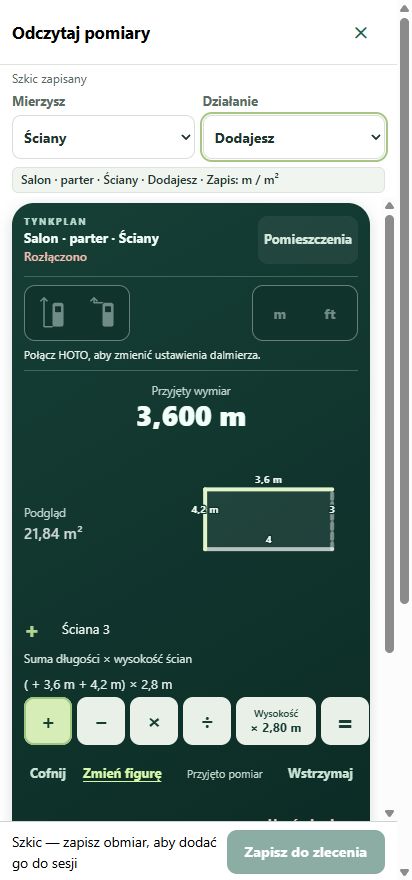
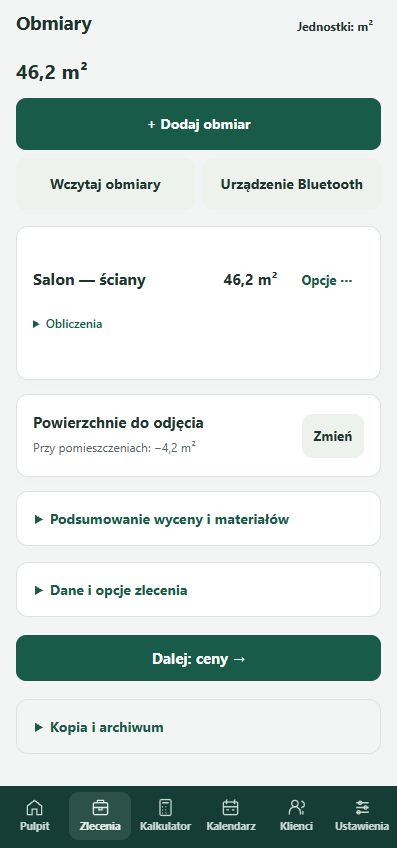
Walls, ceilings, shapes and openings. Organise rooms, add deductions and check areas. Work in metres, feet or inches.
An app for plasterers · Android
Measurements, materials and estimates in one app. Collect dimensions on site and turn them into a clear quotation for your customer.
From the first measurement to a finished PDF estimate.
FROM MEASUREMENT TO QUOTATION
Keep your work connected, from measuring the first room to preparing the final quotation.
Walls, ceilings, shapes and openings. Organise rooms, add deductions and check areas. Work in metres, feet or inches.
Choose your product, layer thickness and allowance. Estimate the material you need, checking coverage against the manufacturer’s documentation.
Set a rate and currency for the job. Prepare a PDF quotation for your customer, and preserve data and saved photos in a ZIP backup.
ON YOUR JOB SITE
Enter dimensions manually or receive readings from a supported HOTO / FNIRSI laser meter over Bluetooth.
Optional OCR helps transcribe measurements from a photo. Review the recognised numbers, units and deductions before using them.
Choose Polish or English, units, currency and rates. Changing defaults does not convert existing quotations.
Jobs are stored on your device. A full ZIP backup preserves data and saved photos. Online OCR is optional.
FROM THE JOB SITE. FOR PLASTERERS.
TynkPlan grows out of everyday plastering work. It helps organise measurements, materials and estimates, with feedback from tradespeople guiding improvements.
“I work as a plasterer and develop a tool that helps with everyday jobs.”
TYNKPLAN FOR ANDROID
Install the app from Google Play and organise your next job on your phone.
Open TynkPlan on Google Play and install it on a compatible Android device.
Get it on Google PlayCreate a job and a room. Enter dimensions, add deductions and check the area.
Calculate materials, set your rates and prepare a clear estimate for your customer.
App availability depends on your account country and device compatibility. Online OCR has usage limits; see the service conditions in the app.
GOOD TO KNOW
What to know before your first job.
Open the app page on Google Play on your Android device and select install. Availability depends on membership of the relevant Google Play track, your account country and device compatibility.
No. You can enter every dimension manually. Supported HOTO QWCJY001 and FNIRSI IR-40 meters can transfer measurements over Bluetooth. Available functions depend on the model, meter firmware and app version. Saved measurements use the units selected in TynkPlan.
Offline OCR runs on the device. Online mode sends the selected photo after consent and starting recognition. OCR provided by TynkPlan uses the TynkPlan server and Google Gemini; a personal profile may use another provider. Cover unnecessary client information. Results can contain mistakes — always review them. Online OCR availability depends on your country and the provider’s terms.
Yes. Online OCR has usage limits and may be temporarily unavailable. If you configure your own API key or OCR service, that provider’s pricing and limits apply. TynkPlan does not promise unlimited recognition.
Make full ZIP backups regularly and check restoration using sample data. ZIP files contain saved data and photos and are not encrypted or password protected. Store them securely. Deleting app data does not delete files you previously exported.
Open the direct app link. Check membership of the relevant Google Play track, device compatibility and account country. If you still cannot download the app, email jaroslawkuca33@gmail.com with the message shown on your screen. Never share passwords or sign-in codes.
You control your client data and photos. Read the app privacy policy before using online features.